
Magento 2: Disable the PageBuilder Module for a Specific Field
Learn how to disable Magento PageBuilder for a specific WYSIWYG field using UI Component XML configuration. This allows you to use the standard Magento editor instead of the PageBuilder interface for selected fields.
Overview
Magento 2 PageBuilder is enabled by default for many content fields such as category descriptions, CMS pages, and custom WYSIWYG fields. In some situations, you may want to disable PageBuilder and use the classic Magento editor instead. This can be achieved by setting the is_pagebuilder_enabled configuration value to false within your UI Component XML field definition.
Disable PageBuilder Configuration
Add the following configuration inside your field's
wysiwygConfigData section:
<item name="wysiwygConfigData" xsi:type="array">
    <item name="is_pagebuilder_enabled" xsi:type="boolean">false</item>
</item>
Step 1: Create category_form.xml File
Create the following UI Component XML file:
<?xml version="1.0" encoding="UTF-8"?>
<form xmlns:xsi="http://www.w3.org/2001/XMLSchema-instance"
      xsi:noNamespaceSchemaLocation="urn:magento:module:Magento_Ui:etc/ui_configuration.xsd">

    <fieldset name="content" sortOrder="10">

        <field name="description"
               template="ui/form/field"
               sortOrder="50"
               formElement="wysiwyg">

            <argument name="data" xsi:type="array">
                <item name="config" xsi:type="array">

                    <item name="wysiwygConfigData" xsi:type="array">
                        <item name="height" xsi:type="string">100px</item>
                        <item name="add_variables" xsi:type="boolean">false</item>
                        <item name="add_widgets" xsi:type="boolean">false</item>
                        <item name="add_images" xsi:type="boolean">true</item>
                        <item name="add_directives" xsi:type="boolean">true</item>

                        <!-- Disable PageBuilder -->
                        <item name="is_pagebuilder_enabled"
                              xsi:type="boolean">false</item>

                    </item>

                    <item name="source"
                          xsi:type="string">category</item>

                </item>
            </argument>

            <settings>
                <label translate="true">Description</label>
                <notice translate="true">
                    Note: Keyboard shortcut to activate editor help :
                    Alt + 0 (Windows) or ⌥0 (MacOS)
                </notice>
                <dataScope>description</dataScope>
            </settings>

            <formElements>
                <wysiwyg class="Magento\Catalog\Ui\Component\Category\Form\Element\Wysiwyg">
                    <settings>
                        <rows>8</rows>

                        <!-- Disable WYSIWYG editor -->
                        <wysiwyg>false</wysiwyg>

                    </settings>
                </wysiwyg>
            </formElements>

        </field>

    </fieldset>

</form>
The important configuration is is_pagebuilder_enabled. Setting it to false disables PageBuilder for this specific field while leaving PageBuilder enabled for other fields in Magento.
Step 2: Flush Magento Cache
After updating the XML file, run the following command:
php bin/magento cache:flushOutput
After applying the configuration, the selected field will use the default Magento editor instead of PageBuilder.
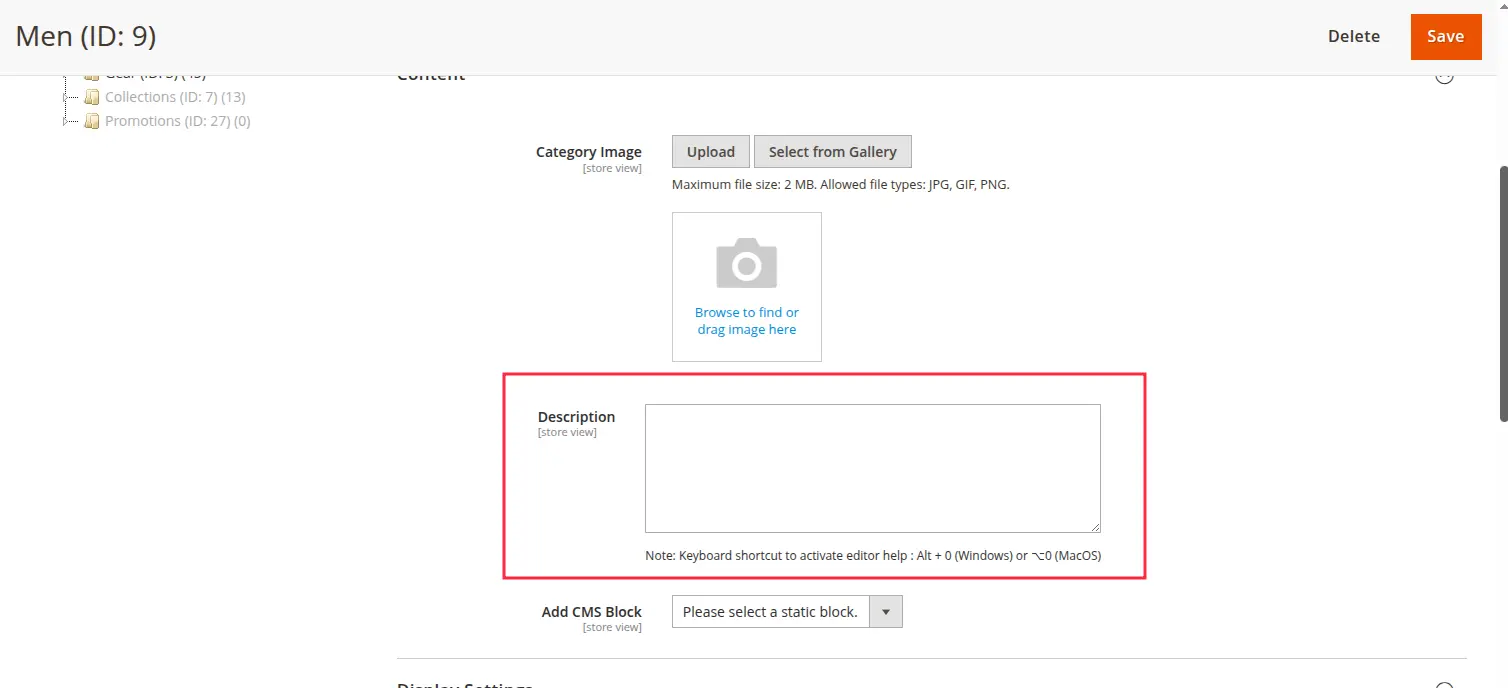
Result
After implementing this configuration, you can:
- Disable PageBuilder for specific fields only.
- Keep PageBuilder enabled for other Magento content fields.
- Use the standard Magento editor where required.
- Simplify content management for selected admin forms.
- Customize Magento admin UI behavior without core modifications.