
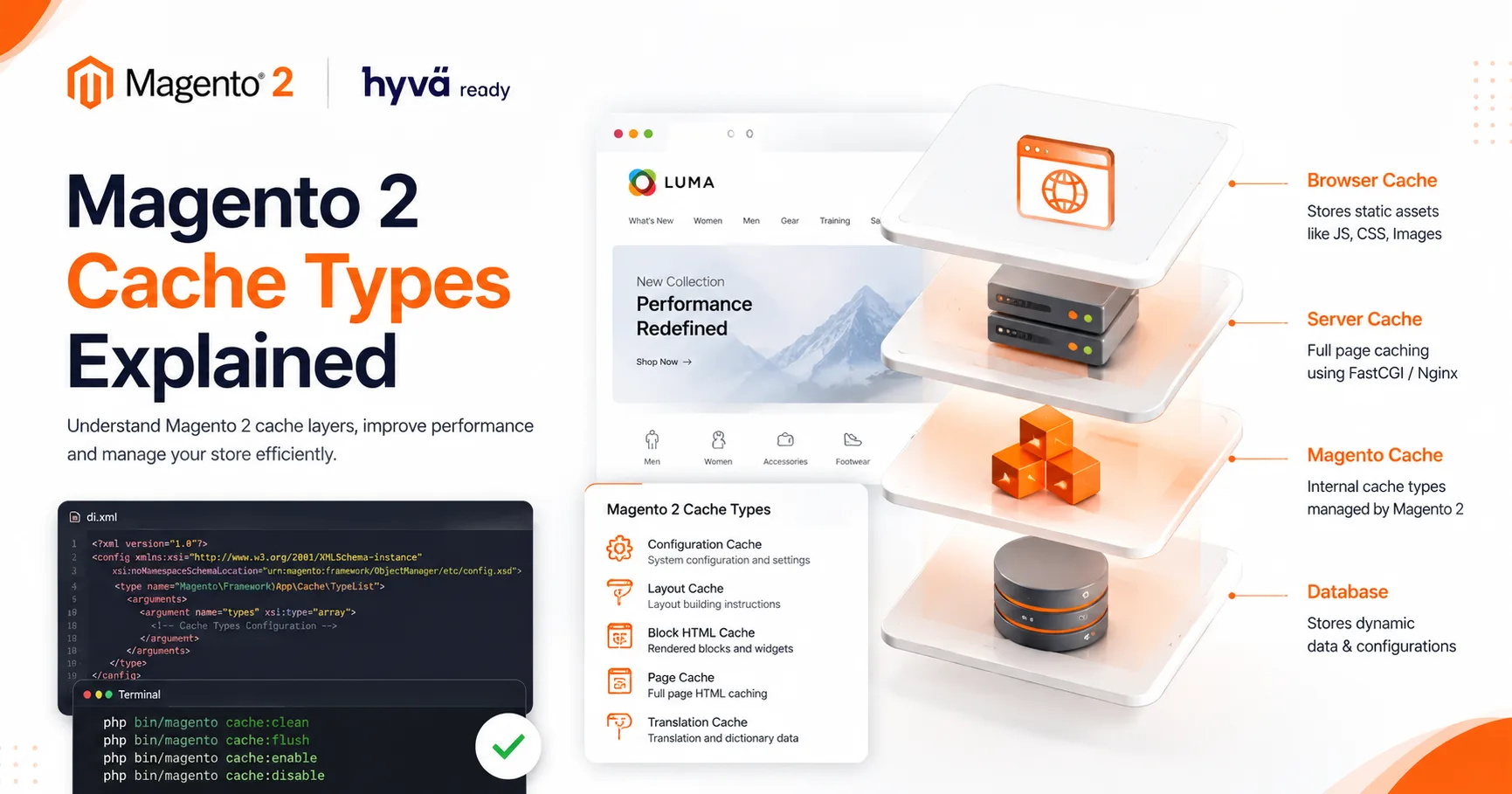
Magento 2 provides different cache types like Configuration Cache, Layout Cache, Block HTML Cache, Page Cache, and Translation Cache. Developers can manage these caches using CLI commands like cache:clean, cache:flush, cache:enable, and cache:disable
Blog
Transform your business with expert Magento 2, Laravel, and Shopify development services. From custom eCommerce stores to enterprise web applications, we deliver secure, scalable, and high-performing digital solutions.
June 11, 2026
June 11, 2026
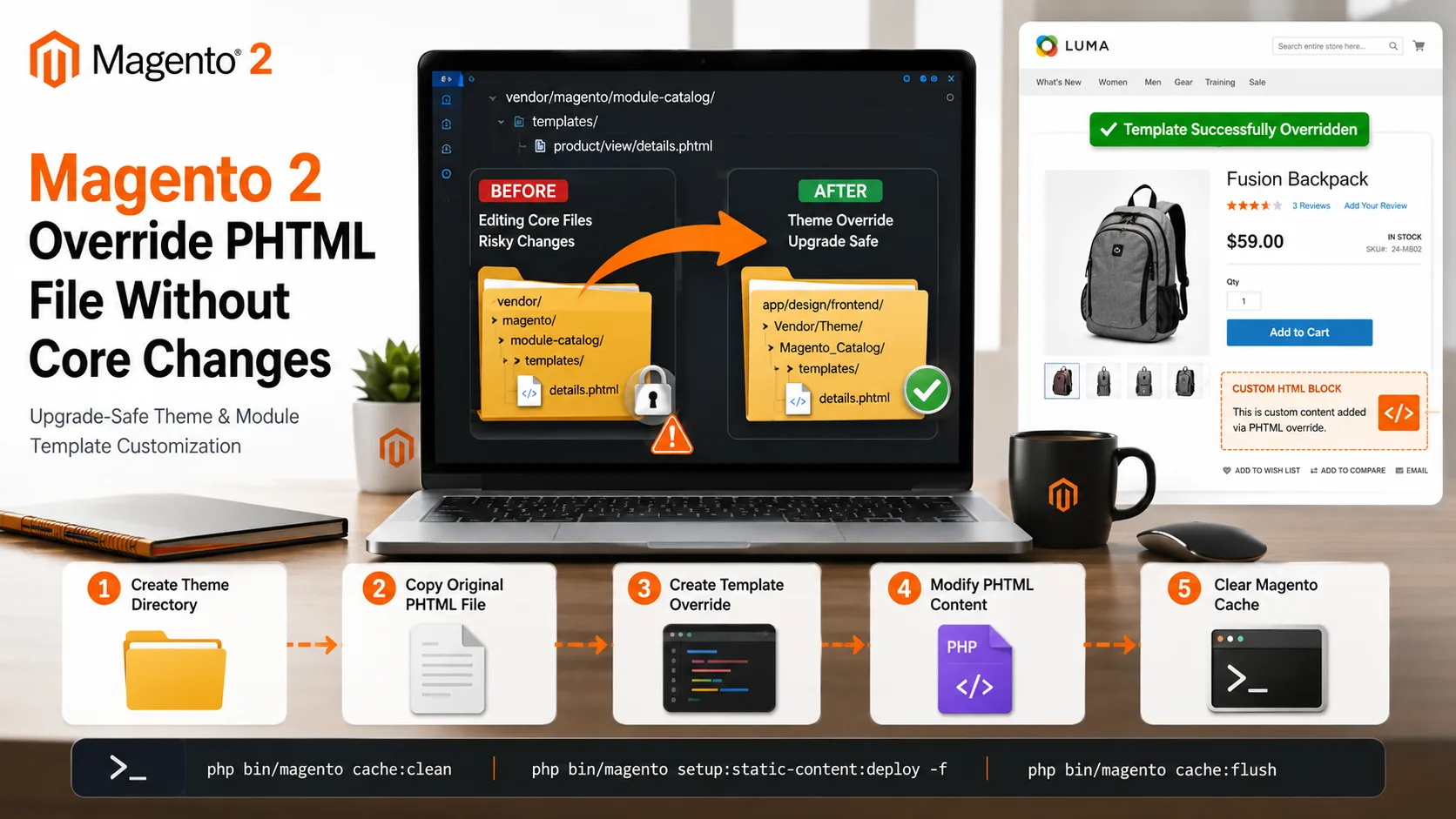
Learn how to override Magento 2 PHTML files without modifying core files. This guide explains theme and module-based template overrides, file structure, layout XML configuration, and upgrade-safe Magento customization methods.
June 08, 2026
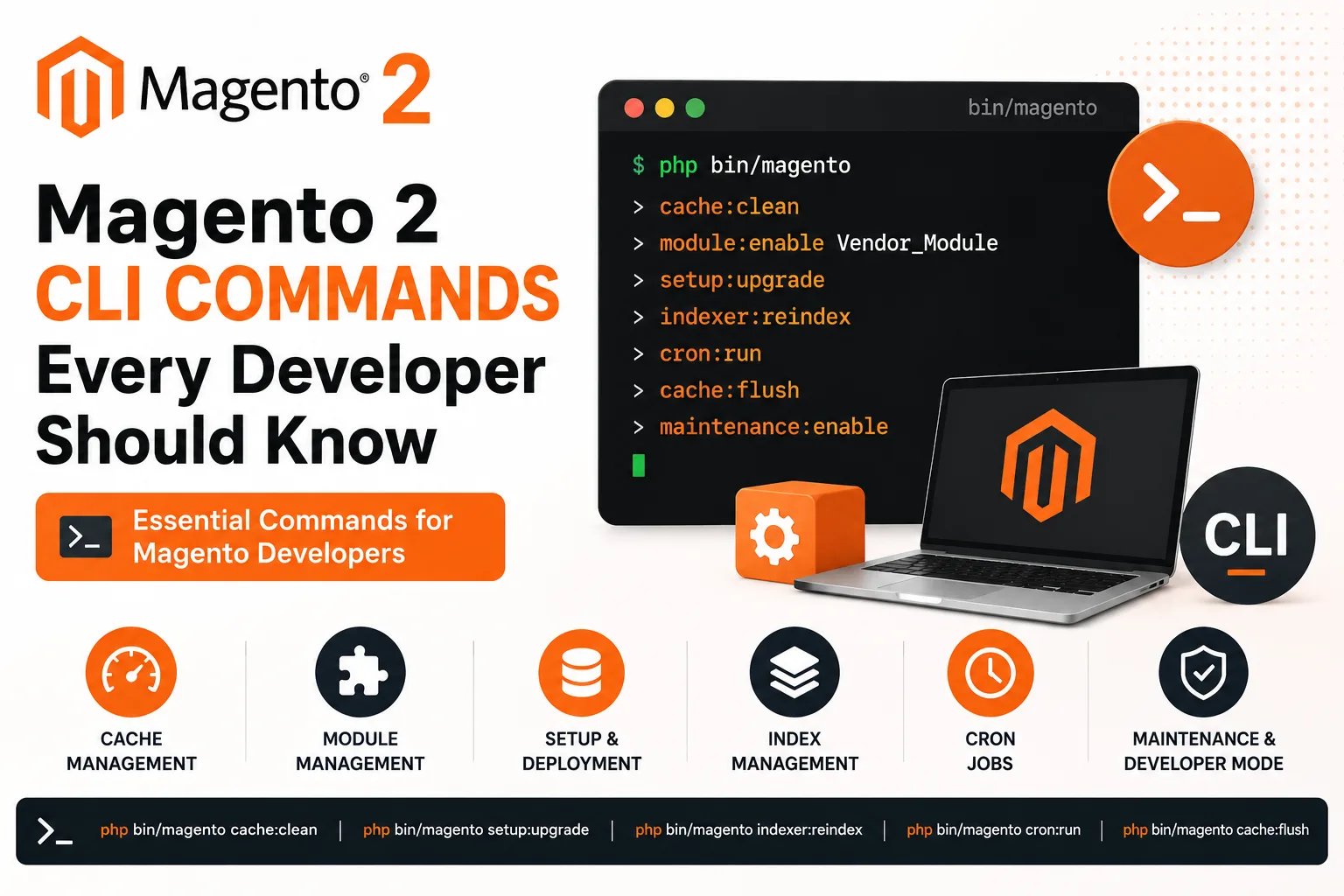
Magento 2 Command Line Interface (CLI) is an essential tool for developers and store administrators. It simplifies tasks such as cache management, module installation, static content deployment, indexer updates, cron management, and maintenance mode operations.

June 08, 2026
Learn how to create a custom module in Magento 2 from scratch. This step-by-step guide covers module structure, registration.php, module.xml, module activation commands, and best practices for building upgrade-safe Magento customizations.

June 08, 2026
Magento 2 PageBuilder is enabled by default for many content fields such as category descriptions, CMS pages, and custom WYSIWYG fields. In some situations, you may want to disable PageBuilder and use the classic Magento editor instead. This can be achieved
June 07, 2026
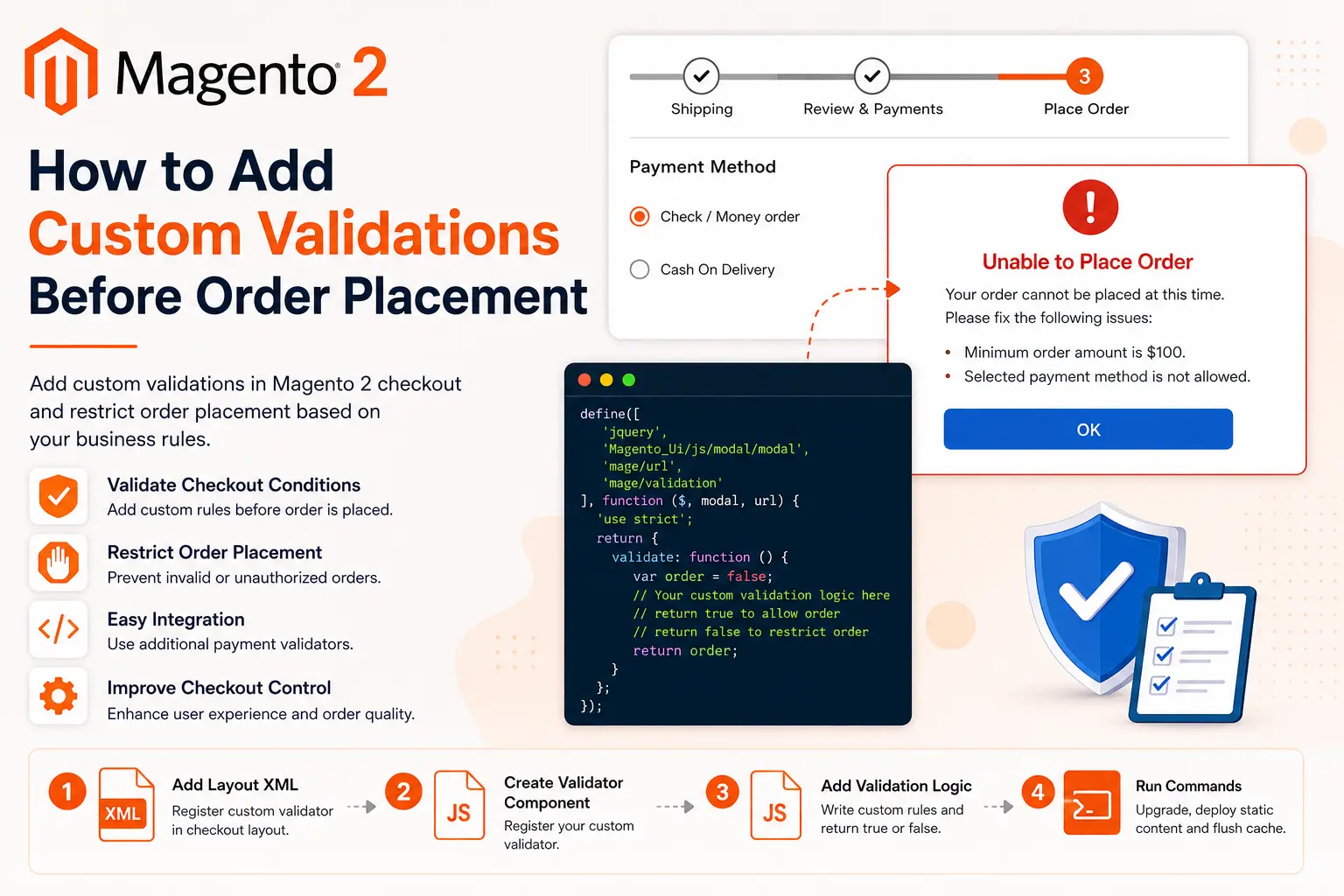
Magento 2 provides an additional payment validator mechanism that allows developers to execute custom validation logic before the order is placed. Using this approach, you can prevent checkout completion based on custom business requirements such as customer
June 07, 2026
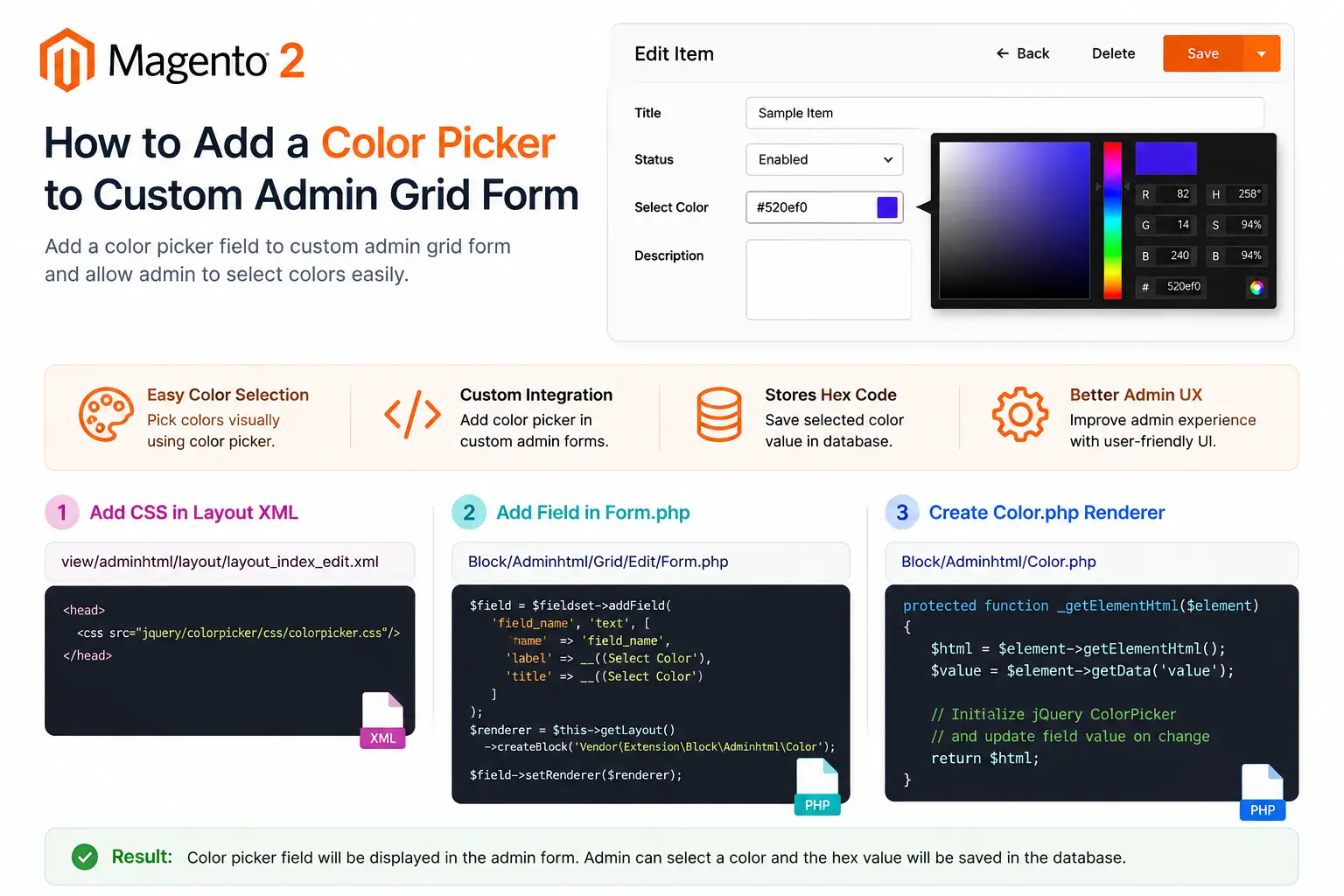
Magento 2 does not provide a color picker field by default for custom admin forms. However, using a custom renderer and the jQuery ColorPicker library, you can easily integrate a color selection field into your admin grid forms. In this tutorial, we will
June 07, 2026
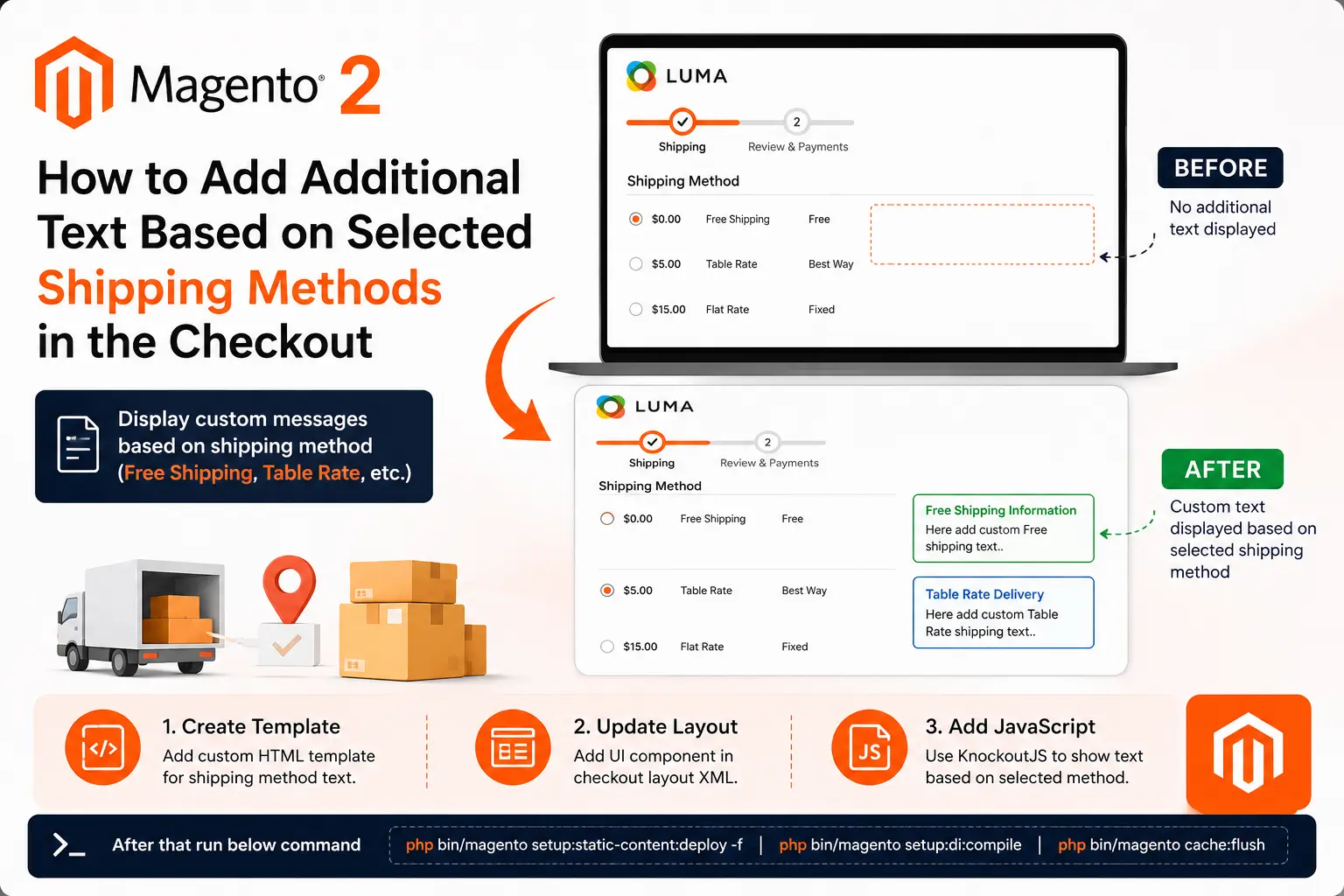
Learn how to display custom messages in the Magento 2 checkout page based on the customer's selected shipping method. This approach improves user experience by providing shipping-specific information such as delivery instructions, estimated delivery details,

May 30, 2026
Learn how to create a simple root script in Magento 2 using Bootstrap and Object Manager.This helps developers quickly test code, debug issues, and fetch data directly from Magento.
May 30, 2026
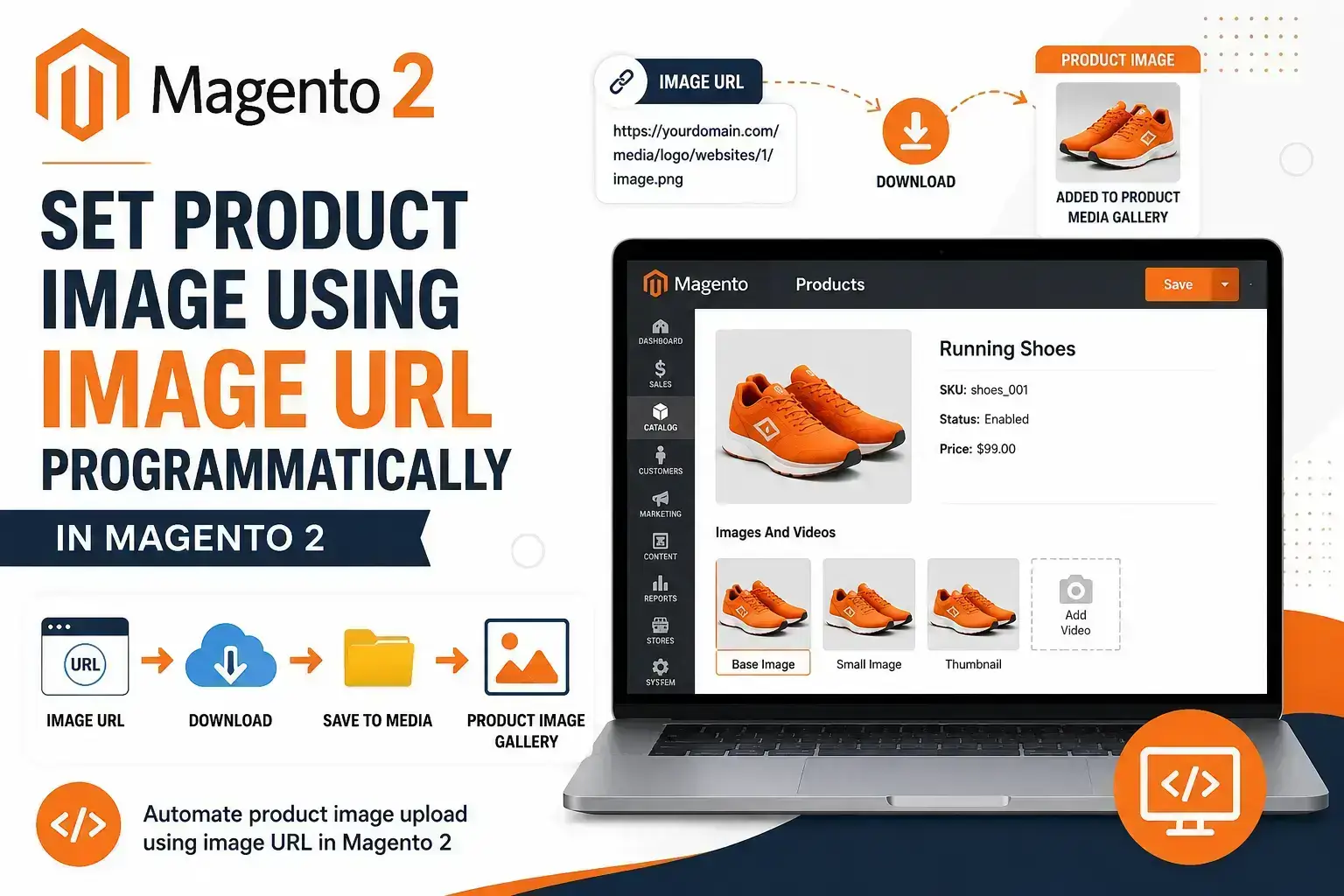
When importing products from external systems, APIs, ERPs, or marketplaces, you may need to assign product images directly from image URLs. Magento 2 provides methods to add images to the media gallery programmatically. In this tutorial, we'll create
May 30, 2026
When building a Magento 2 store, choosing the right frontend theme plays a major role in website performance, SEO, user experience, and development speed. Magento Luma has been the default theme for years, while Hyvä Theme has become the preferred modern

May 30, 2026
Magento 2 allows developers to assign different themes to different storefronts. However, there are situations where you may want to display a completely different theme for only one specific page. In this tutorial, we'll create a custom route and use

May 30, 2026
Magento 2 provides a powerful multi-website architecture that allows merchants and developers to run multiple websites from a single Magento installation. Each website can have its own domain, products, pricing, customers, and store configurations while
May 30, 2026
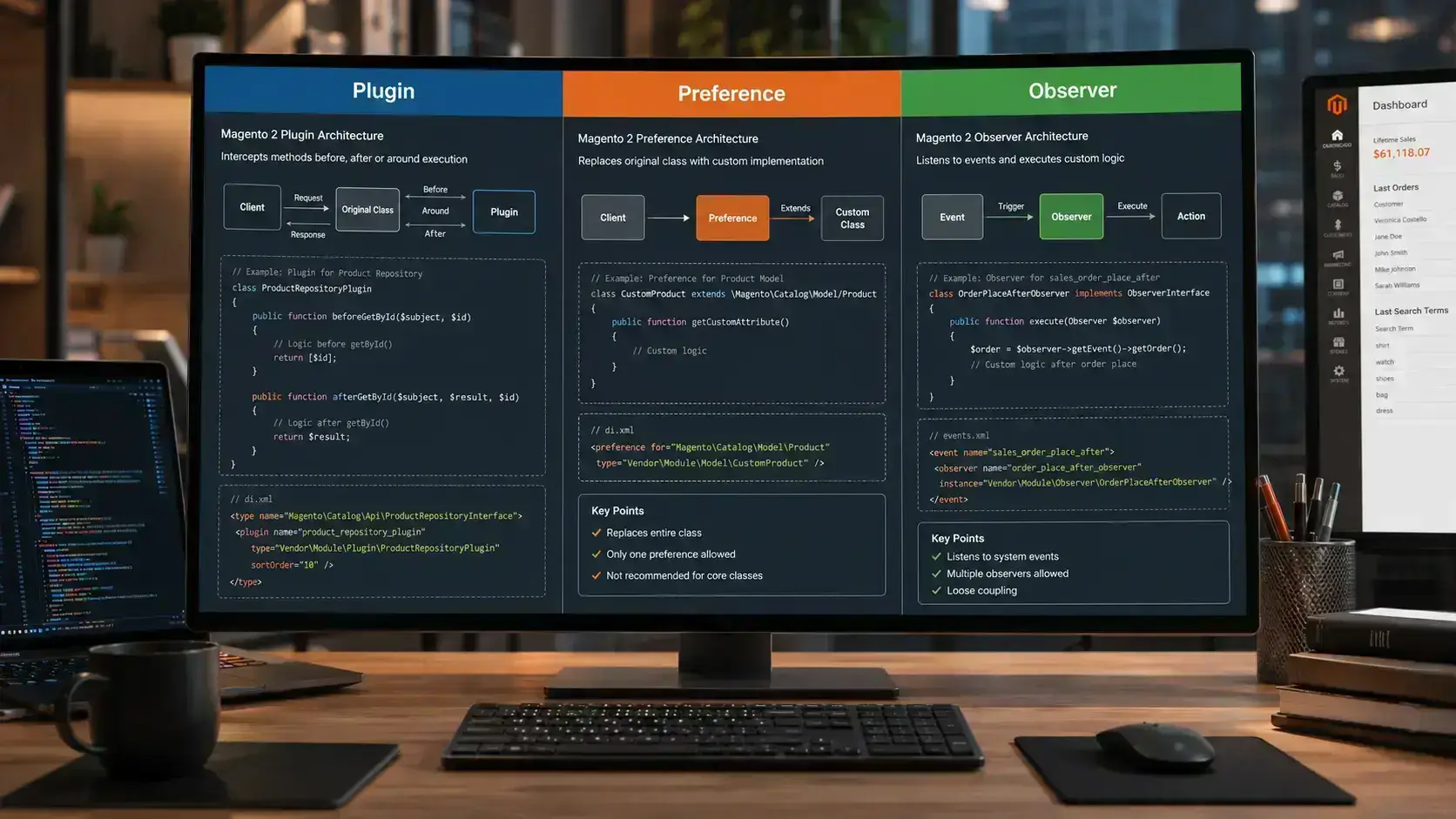
Magento 2 provides multiple ways to customize core functionality without modifying core files. The three most common approaches are Plugins, Preferences, and Observers. Understanding when to use each approach helps developers build scalable, maintainable,

May 30, 2026
Magento 2 Sample Data helps developers and store owners create a demo store environment with products, categories, customers, CMS pages, promotional rules, and sample media. It is useful for testing store functionality, experimenting with configurations,
May 28, 2026
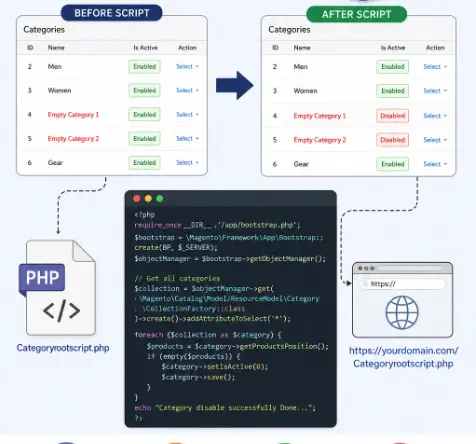
How to programmatically hide empty categories in Magento 2 by creating a custom PHP root file? Follow this comprehensive guide to learn the process and make the work easier for Magento 2 stores.
May 14, 2026
1
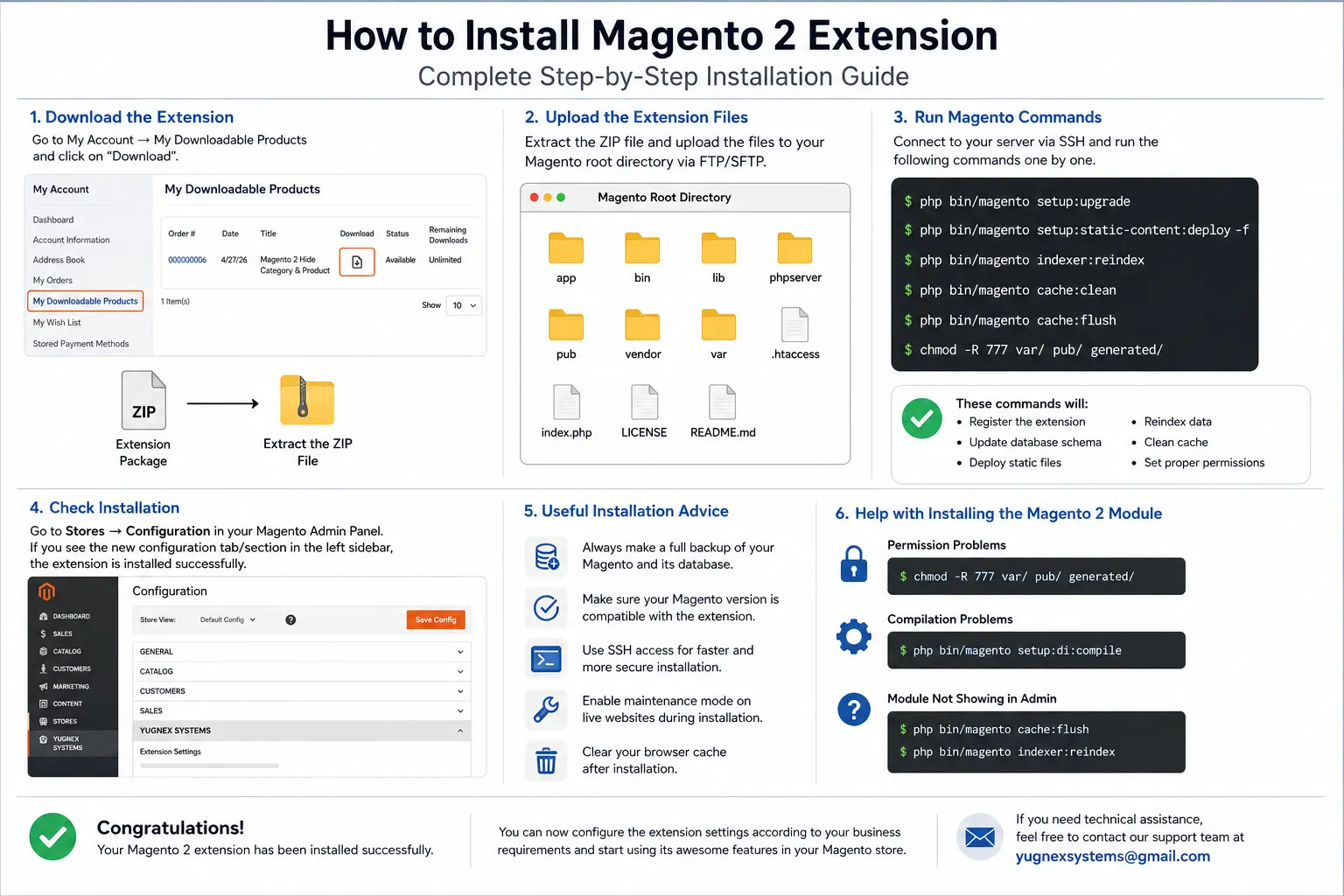
Installing a Magento 2 extension isn't difficult if you know the right procedure. This comprehensive guide shows you everything about how to upload extension files, run Magento commands, enable modules, and fix installation error problems for Magento