
How to Install Sample Data in Magento 2
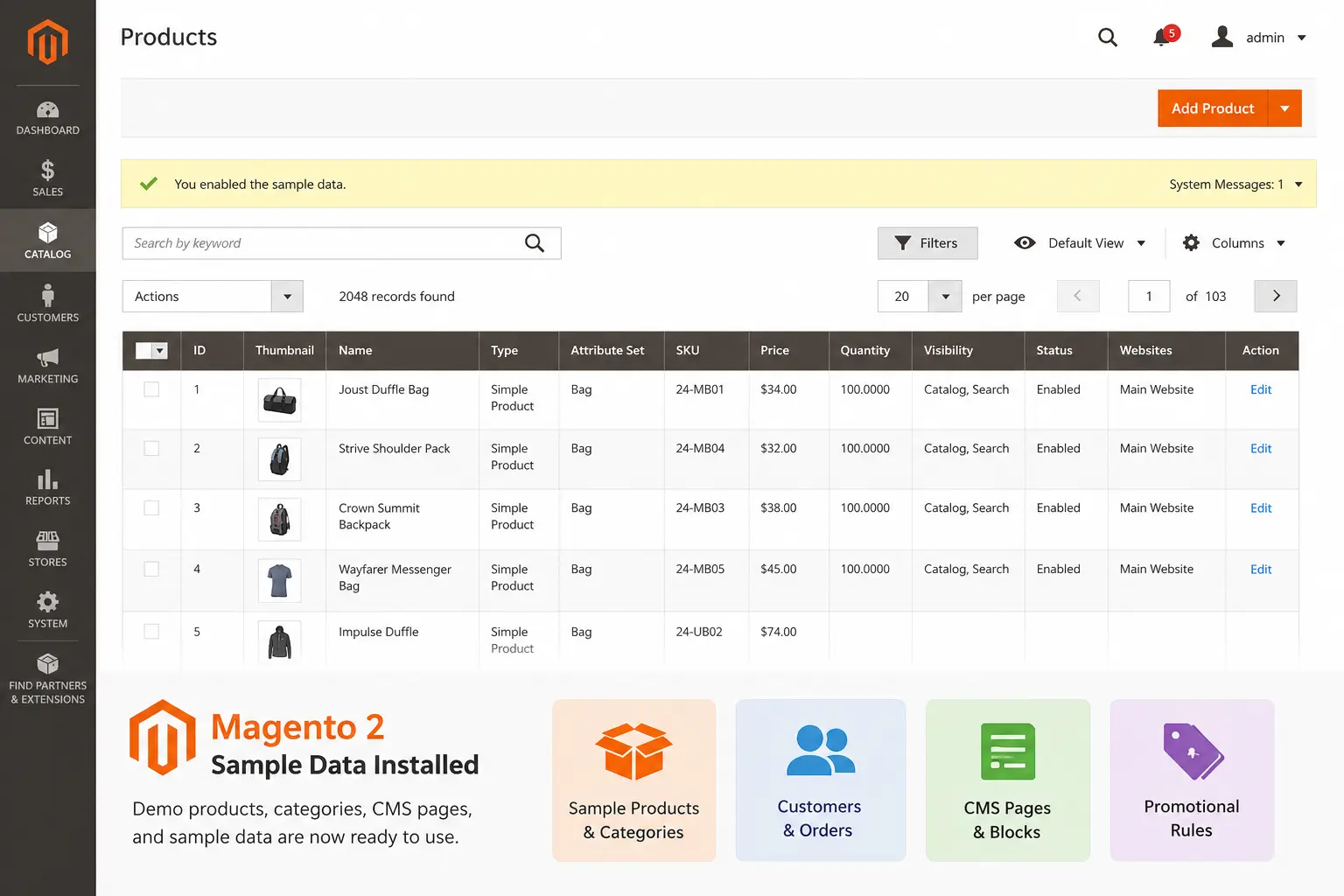
Magento 2 Sample Data helps developers and store owners create a demo store environment with products, categories, customers, CMS pages, promotional rules, and sample media. It is useful for testing store functionality, experimenting with configurations, and understanding Magento features before working with real store data.
Why Use Magento 2 Sample Data?
Magento sample data provides a ready-made storefront based on the Luma theme and helps developers quickly understand Magento's structure and functionality.
- Sample products and categories
- Customer and order data
- CMS pages and blocks
- Catalog and shopping cart rules
- Product images and media assets
Method 1: Install Sample Data Using composer.json
One of the easiest ways to install Magento 2 sample data is by adding the required sample data packages directly to your Magento root composer.json file.
Add the following code to the require section of your composer.json file.
For Magento 2.4.x
{
    "require": {
        "magento/module-bundle-sample-data": "100.4.*",
        "magento/module-catalog-rule-sample-data": "100.4.*",
        "magento/module-catalog-sample-data": "100.4.*",
        "magento/module-cms-sample-data": "100.4.*",
        "magento/module-configurable-sample-data": "100.4.*",
        "magento/module-customer-sample-data": "100.4.*",
        "magento/module-downloadable-sample-data": "100.4.*",
        "magento/module-grouped-product-sample-data": "100.4.*",
        "magento/module-msrp-sample-data": "100.4.*",
        "magento/module-offline-shipping-sample-data": "100.4.*",
        "magento/module-product-links-sample-data": "100.4.*",
        "magento/module-review-sample-data": "100.4.*",
        "magento/module-sales-rule-sample-data": "100.4.*",
        "magento/module-sales-sample-data": "100.4.*",
        "magento/module-swatches-sample-data": "100.4.*",
        "magento/module-tax-sample-data": "100.4.*",
        "magento/module-theme-sample-data": "100.4.*",
        "magento/module-widget-sample-data": "100.4.*",
        "magento/module-wishlist-sample-data": "100.4.*",
        "magento/sample-data-media": "100.4.*"
    }
}
Version Notes
- Magento 2.4.x → Use 100.4.*
- Magento 2.3.x → Replace with 100.3.*
- Magento 2.2.x → Replace with 100.2.*
After saving the composer.json file, execute the following command:
composer updateIf Composer requests authentication credentials, use your Adobe Commerce Marketplace access keys.
- Public Key = Username
- Private Key = Password
Method 2: Install Sample Data Using Magento CLI
Navigate to your Magento root directory and run the following command:
php bin/magento sampledata:deployUpgrade the Magento database:
php bin/magento setup:upgradeCompile dependencies:
php bin/magento setup:di:compileFlush Magento cache:
php bin/magento cache:flushMethod 3: Install Sample Data Using Git Repository
Clone the Magento sample data repository:
git clone https://github.com/magento/magento2-sample-data.gitCreate symbolic links:
php -f <sample-data-directory>/dev/tools/build-sample-data.php -- --ce-source="<magento-root-directory>"Run the following commands:
php bin/magento setup:upgrade
php bin/magento setup:di:compile
php bin/magento cache:flush
Method 4: Install Sample Data Using Composer Command
Install sample data media package using Composer:
composer require magento/sample-data-mediaThen execute:
composer update
php bin/magento setup:upgrade
php bin/magento setup:di:compile
php bin/magento cache:flush
Verify Sample Data Installation
- Log in to your Magento Admin Panel.
- Navigate to Catalog → Products.
- Verify that sample products are available.
- Check categories, banners, and CMS pages on the storefront.
Common Issues During Installation
Authentication Error
If Composer requests credentials, use your Adobe Commerce Marketplace Public Key and Private Key.
Memory Limit Error
memory_limit = 2G
Permission Issues
find var generated vendor pub/static pub/media app/etc -type f -exec chmod g+w {} +
find var generated vendor pub/static pub/media app/etc -type d -exec chmod g+ws {} +
Conclusion
Magento 2 Sample Data is an excellent way to create a testing environment and explore Magento features without manually adding products and store content. Whether you choose the composer.json method, Magento CLI, Git repository, or Composer command approach, sample data helps accelerate development and provides a realistic storefront experience for testing and customization.